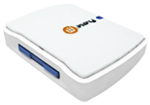
Wiikey Fusion Installation Guide
Step 1
Before you can install Wiikey Fusion, you will need to select the appropriate dip switches for your region. Click on your flag and our helpful mascot will tell you what to do.
-
Step 2: Prepare your Wii
-
Step 3: Remove the top panel
-
Step 4: Place top panel to the side
-
Step 5: Remove the front panel
-
Step 6: Remove additional screws
-
Step 7: Lift the DVD drive
-
Step 8: Place DVD drive to the side
-
Step 9: Lift hinge holding drive cable
-
Step 10: Disconnect the drive cable
-
Step 11: Connect drive cable to Wiikey
-
Step 12: Connect the new drive cable
-
Step 13: Connect the SD card reader
-
Step 14: Check and insulate!
-
Step 15: Replace DVD drive
-
Step 16: Replace top cover
-
Step 17: Replace front panel
-
Step 18: Thread cable
-
Step 19: All done!
Well done! Now that your Wiikey Fusion is installed, you're ready to read about adding games to SD card using WBFS Manager.